
Customer data in separate silos
Separate store databases make it difficult for HQ to understand the customer base as a whole.
Franchise CRM for multi-location customer management
Bring customer data from every franchise location together at HQ. With consent, QR participants become brand members and KakaoTalk channel friends. Manage store-specific offers, automated messages and return-visit reporting in one place.
Unified customer management Store-specific marketing Performance reports
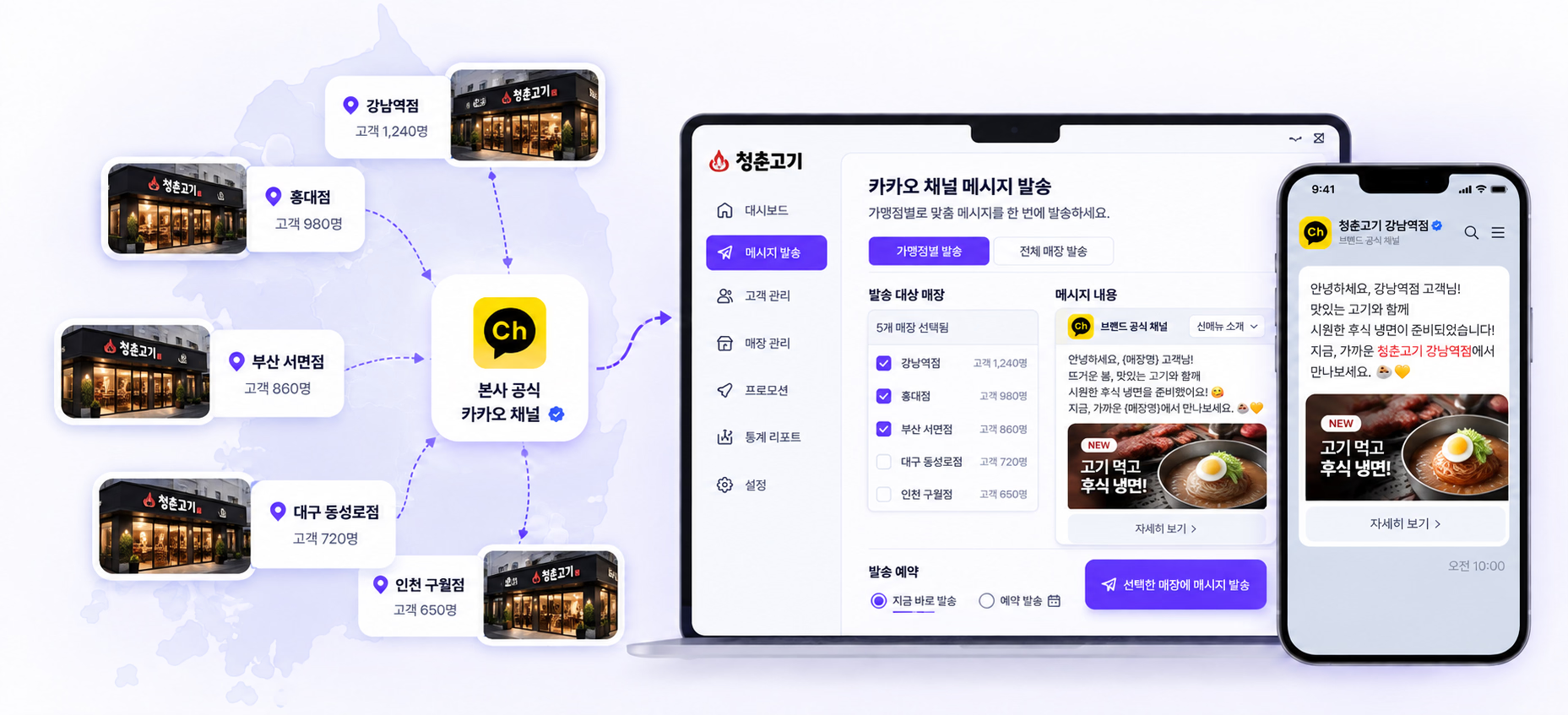
With consent, turn QR event participants
into brand members and channel followers.
See customer activity across your network
in one view from headquarters.
One official HQ channel,
different offers and messages for each store.
Our brand community




















Built around the challenges at HQ
Separate store databases make it difficult for HQ to understand the customer base as a whole.
Without a way to contact visitors again, it is difficult to keep retention marketing going.
New member acquisition and offer usage must be collected separately from each store.
When advertising-driven visits do not become part of your brand's customer base, you stay dependent on new traffic.
The journey back to your stores
Customers join easily with a QR code,
and HQ keeps the relationship going.
At tables and entrances,
introduce the event
No app download
Join the event
With customer consent,
build your customer database
Through your official channel,
create a way to stay in touch
Using defined rules and timing,
send relevant offers
Use coupons and offers
to encourage the next visit
Track participation and response
in your reports
Franchise customer management CRM
Connect QR participants to your brand's membership database and official KakaoTalk channel.
HQ sees customer activity across the network and manages offers and messages based on the store visited and the customer group.
01 Unified HQ CRM
Connect customers who join QR events to your brand membership and KakaoTalk audience through the required consent steps. Review new members and customer responses by store, then choose the audience for your next campaign.
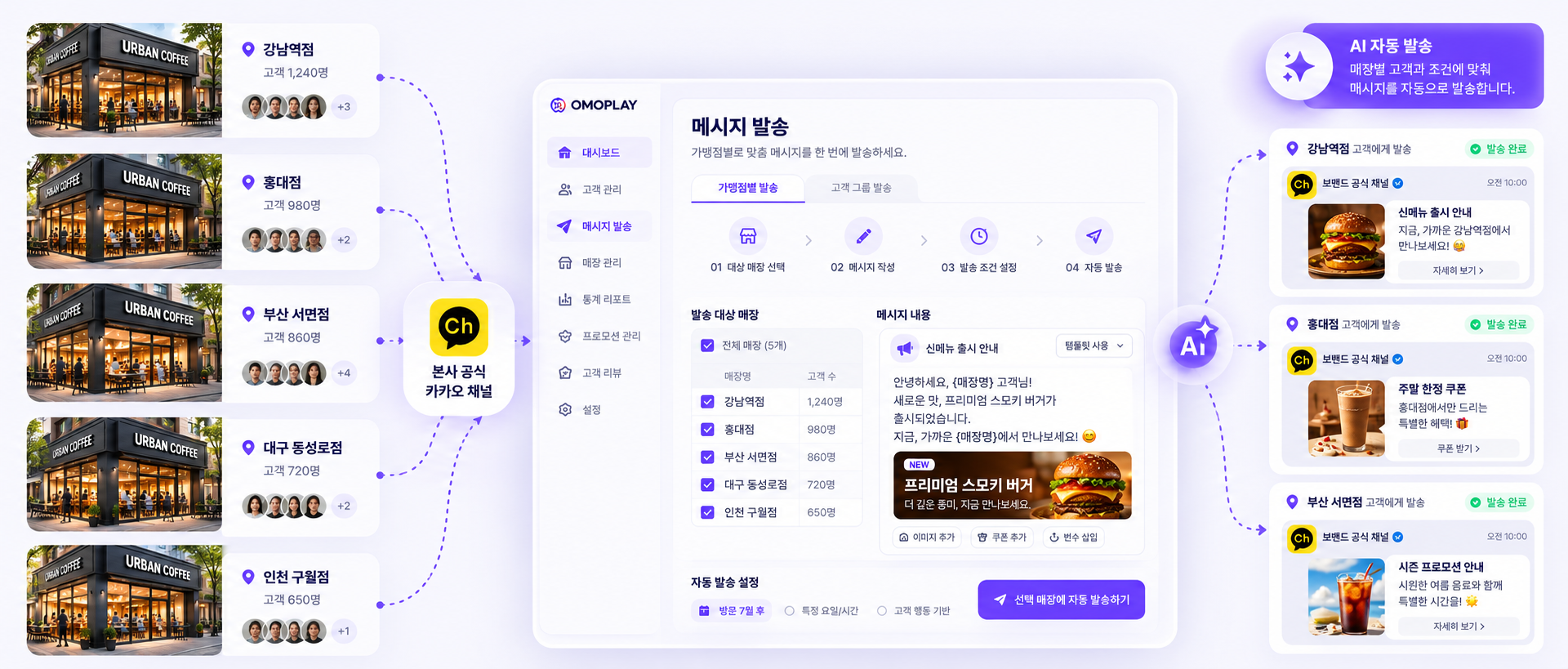
02 Store-specific events and offers
Use one official HQ KakaoTalk channel while selecting the stores and customer groups to reach. Tailor offers and messages to store openings or new menu launches, and manage network-wide campaigns alongside them.
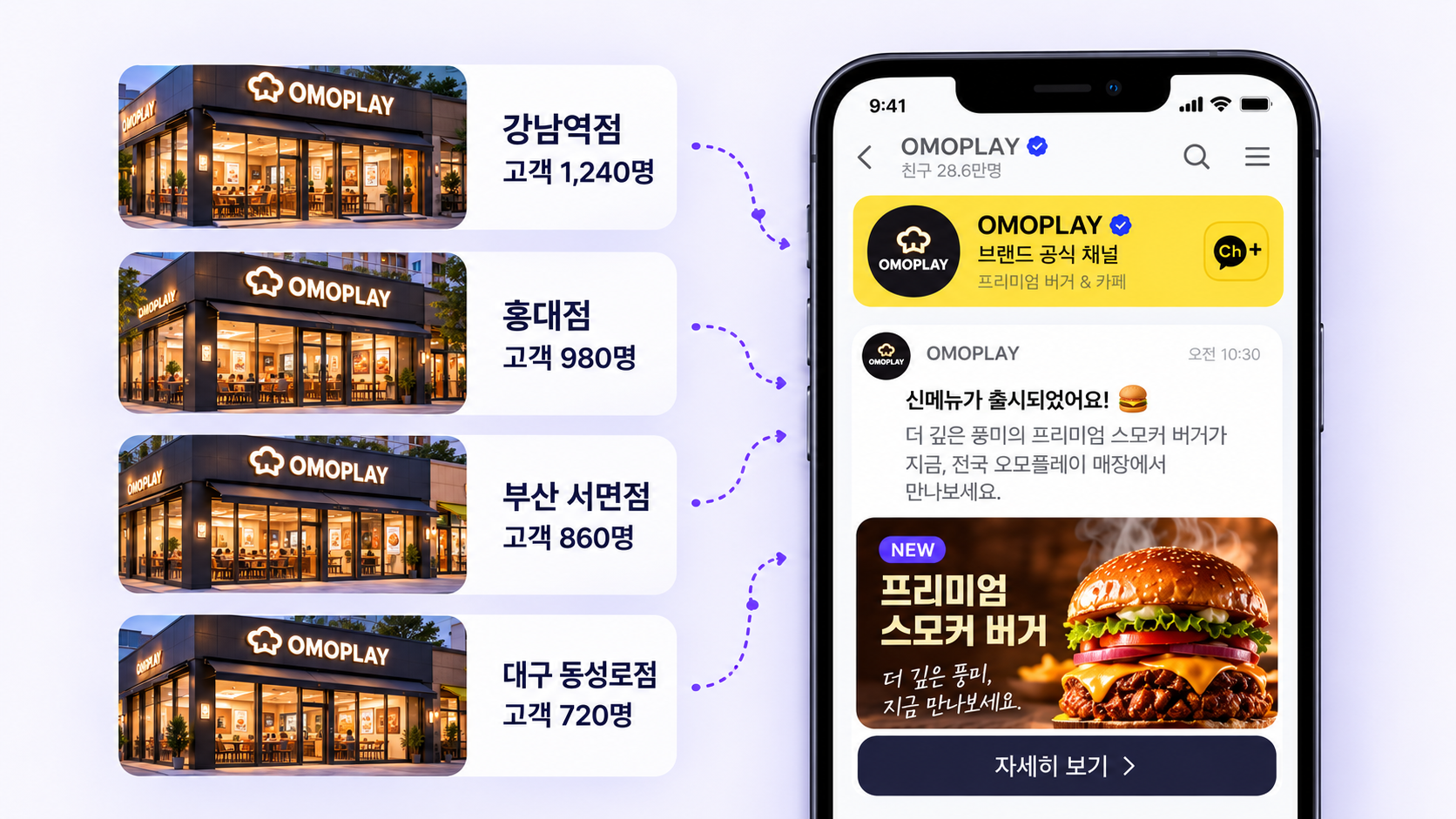
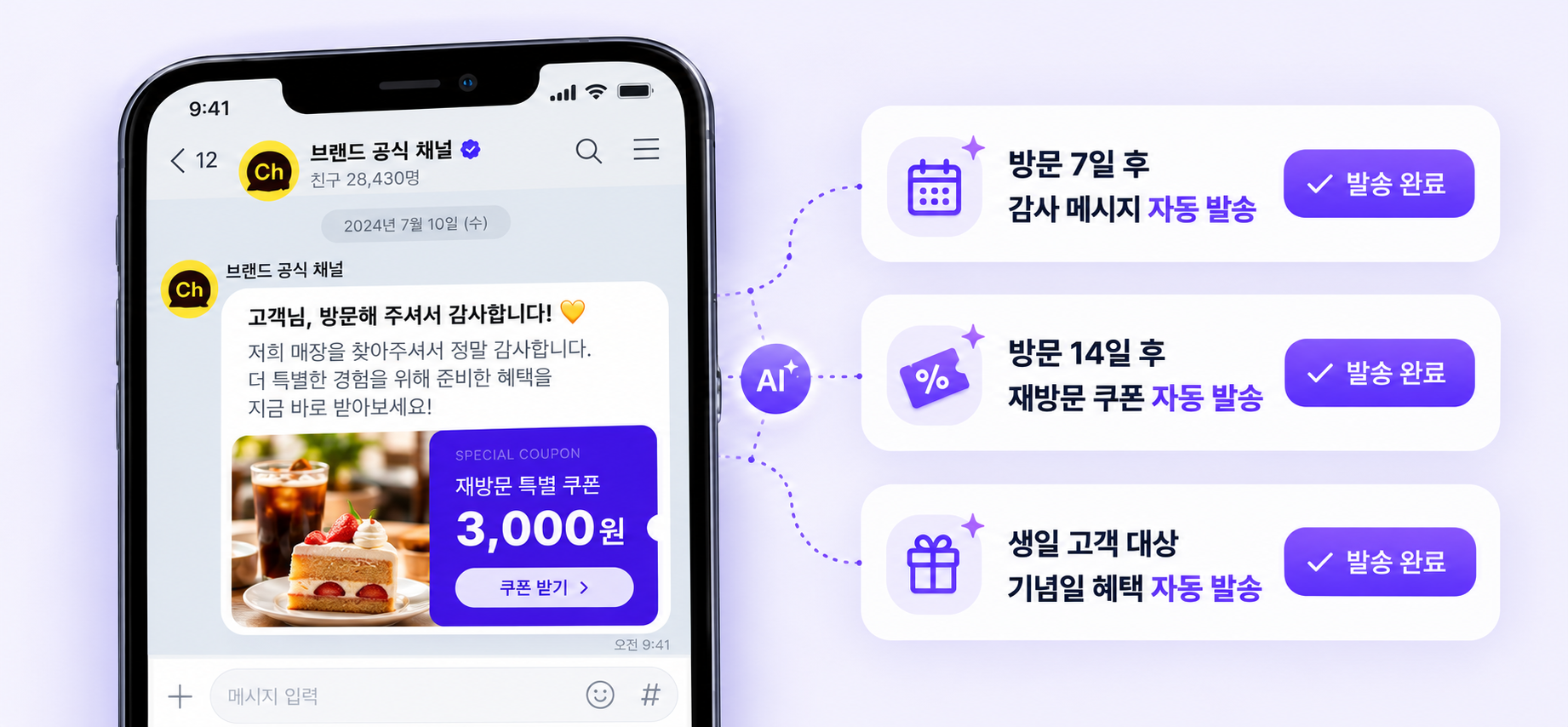
03 Automated return-visit messages
Send KakaoTalk messages based on time since the visit and customer criteria. Reach eligible, opted-in customers with the store-specific offers defined by HQ, then review message responses and coupon usage.
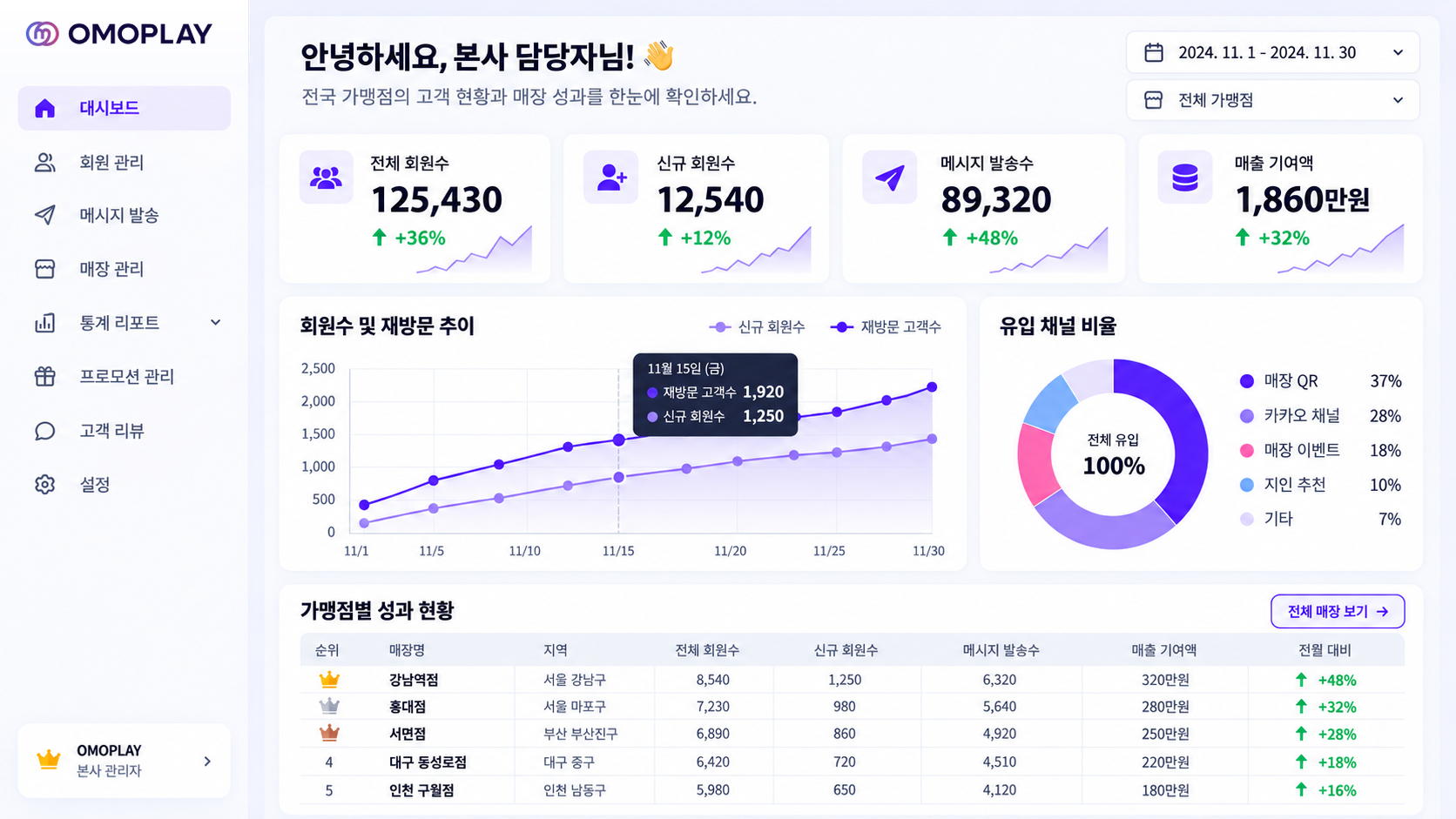
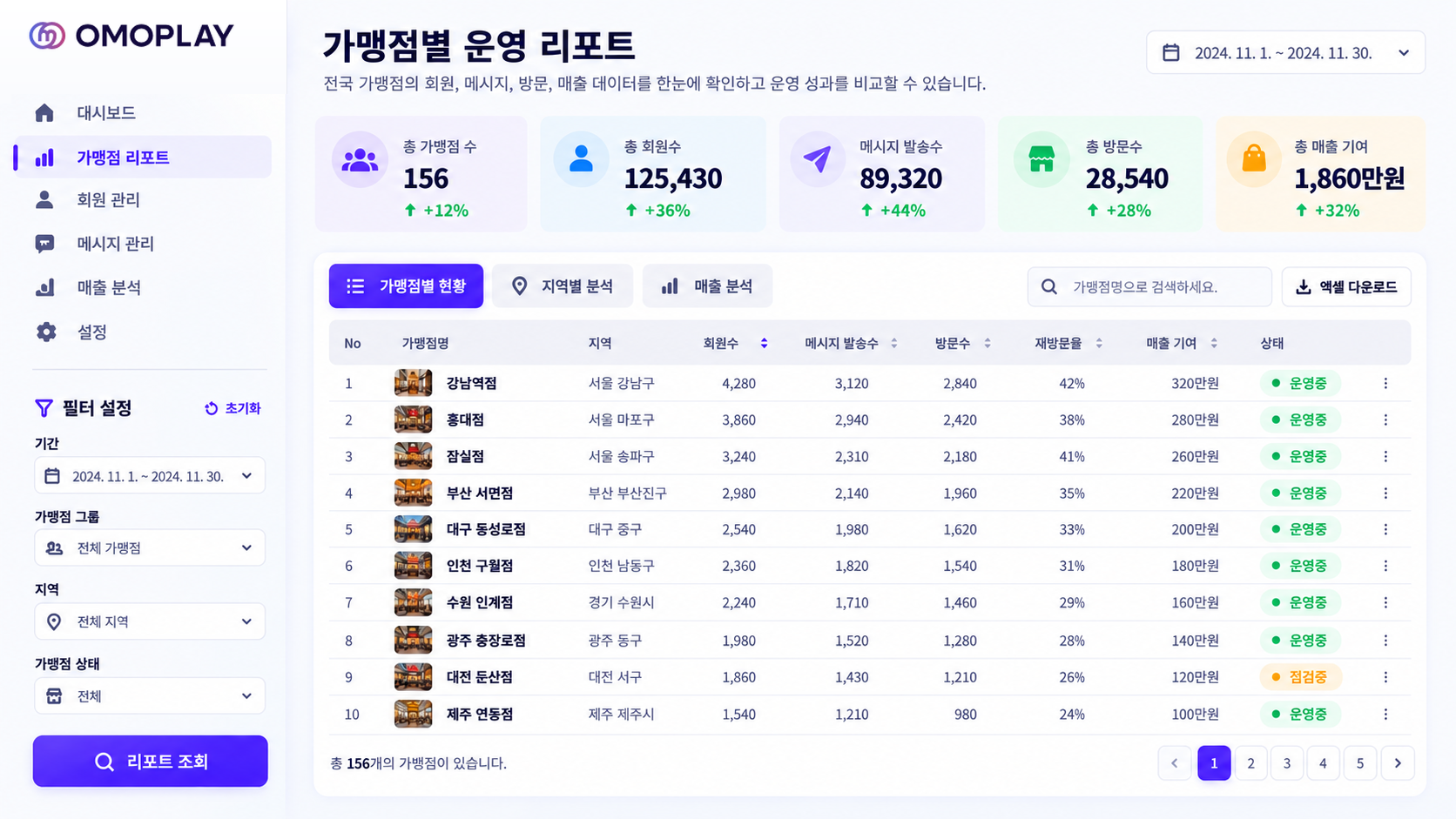
Unified HQ dashboard
See the bigger picture,
then decide the next step for each store.
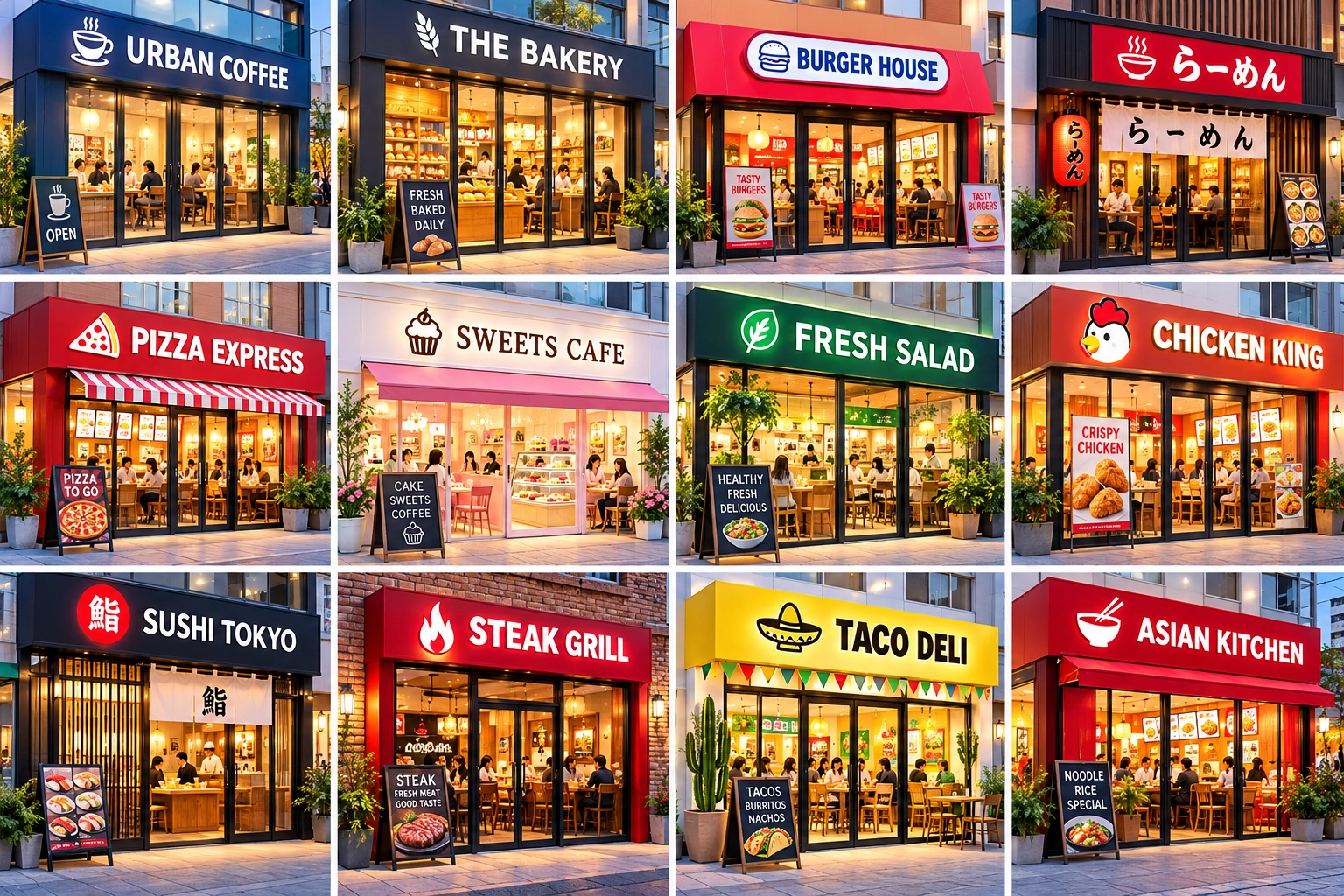
Marketing for each store
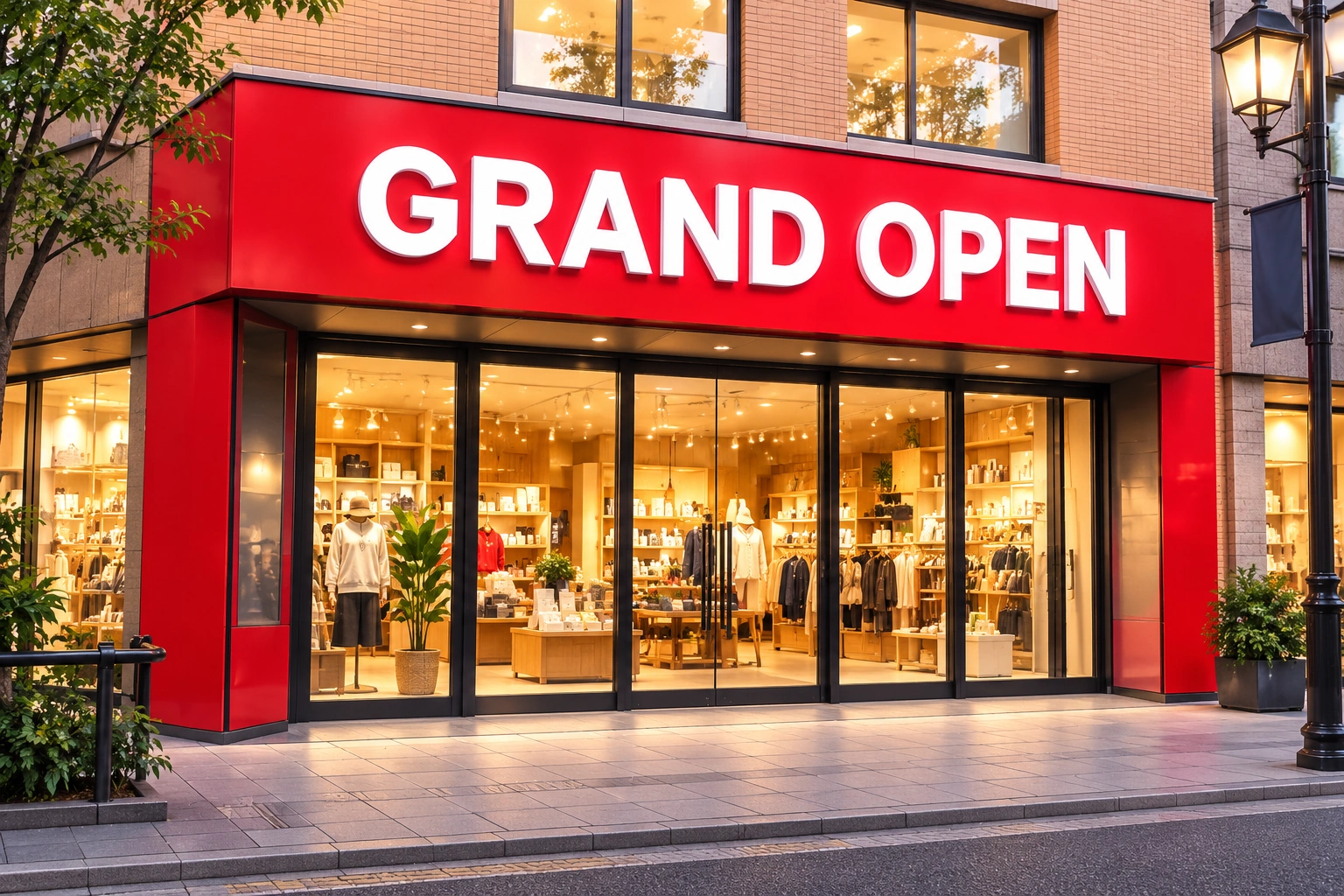
Acquire first-time visitors through an opening event, connect them to brand membership, and prepare for their next visit.

Run seasonal offers by store and introduce them to customers through the official HQ channel.

Tell existing customers about new menu items and review the campaign through coupon usage and message responses.
Run shared brand offers and compare participation and customer response across stores.
Data-led performance management
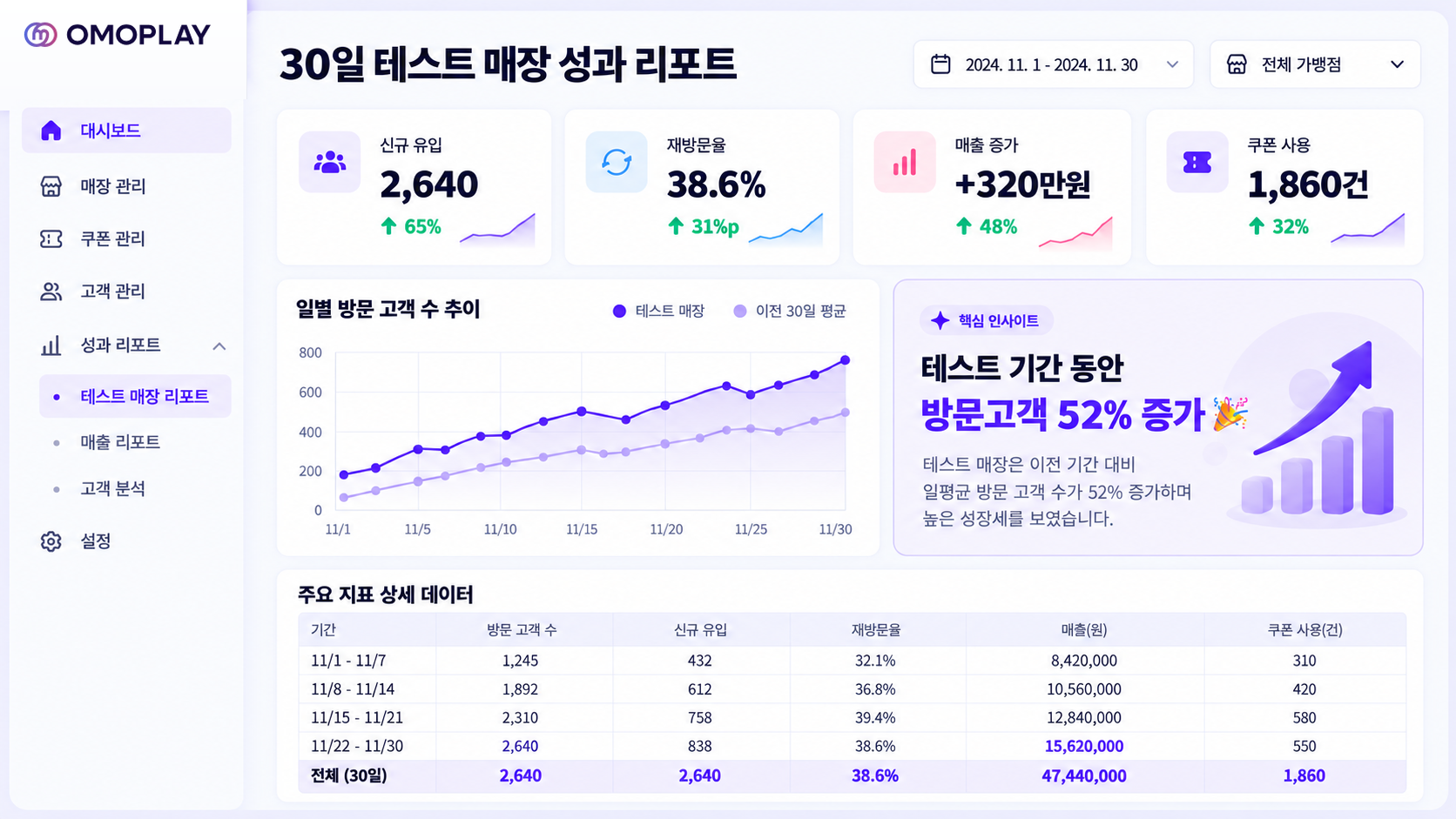
From new members to message responses, coupon usage, and return visits, review store marketing performance using the data you can measure.
Start small before a wider rollout
Choose the stores and metrics together,
then use data to decide what fits your brand.
Deploy store QR codes and events
Set offers and messaging rules
Send messages by customer group
Review customer responses
Run coupon and event messages
Check participation and offer usage
Review key metrics and operations
Decide whether to expand
FAQ
Based on the way your franchise operates,
we will walk through the right scope for your team.
Manage members acquired by each store in one HQ database, then run offers and messages based on each store's customers. OMO PLAY supports the journey from QR participation to brand membership, KakaoTalk connection, and performance tracking.
Members acquired through store QR codes and events become part of the brand's customer base. With customer consent and the relevant permissions, HQ can view network-wide and store-level data. Migration of existing databases and integration with external systems are reviewed separately during consultation.
OMO PLAY supports shared HQ campaigns as well as store-specific events and offers. Choose stores, customer groups, and delivery timing for your messages. The available settings and operating approach are confirmed during consultation.
Customers connect through the official HQ KakaoTalk channel, which delivers relevant offers to each store's customers. Channel access, delivery permissions, marketing consent, and message-specific requirements are checked during setup.
In the QR journey shown in the brochure, customers scan a store QR code and participate through Kakao without installing a separate app. The process includes the consent needed for membership registration and channel connection.
You can review member acquisition, message responses, coupon usage, and measurable return visits. Return-visit counting rules and the possibility of connecting sales data are agreed in advance.
After reviewing how HQ and stores operate, we define the participating stores, campaigns, messaging scope, and metrics. You can start with a 30-day pilot in 3 stores.
Talk to our franchise team
Tell us about your franchise network and customer management needs. Our team will help you plan your next step.
Complete the required fields and our team will contact you.